For General Contractors and Utilities
When multiple parties are involved in a project – such as general contractors, utilities, and subcontractors – tracking and accessing locate requests can become complex. To improve coordination and increase transparency, Virginia 811 has introduced three practical solutions that will make it easier for key stakeholders to view and manage locate request information.
Option 1: Export to CSV

Exactix includes an “Export to CSV” feature that allows users to export a list of multiple locate requests at once. This is a simple way to maintain organized records for project management, internal reporting, or documentation needs. Especially helpful for subcontractors and general contractors (GCs), this tool promotes transparency, supports accountability, and enables all parties to manage their contractual relationships independently and efficiently, without intervention from Virginia 811. It’s a timely and cost-free solution that provides all the necessary locate request details without adding extra steps – streamlining communication and reducing dependency on third parties.
How to Extract Locate Requests as a Package
- Login to Exactix: Use your account credentials to access the system.
- Navigate to the Ticket Search Tool: Use filters to search by date range, company name, or the individual who submitted the requests.
- Select the Desired Locate Requests: For example, to pull all locate requests entered by a user in the past 100 days, select all results returned by the search.
Option 1 Expanded Instructions
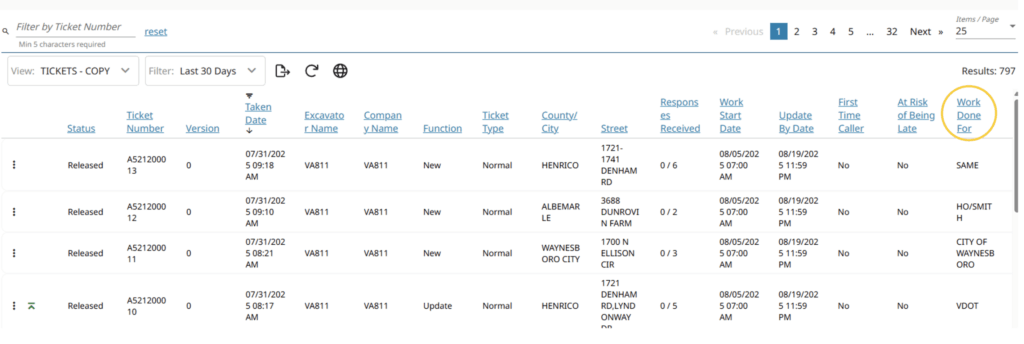
After having the Ticket Search view and Filter set to your preference – the View
will need to have the “Work Done For” column displayed.

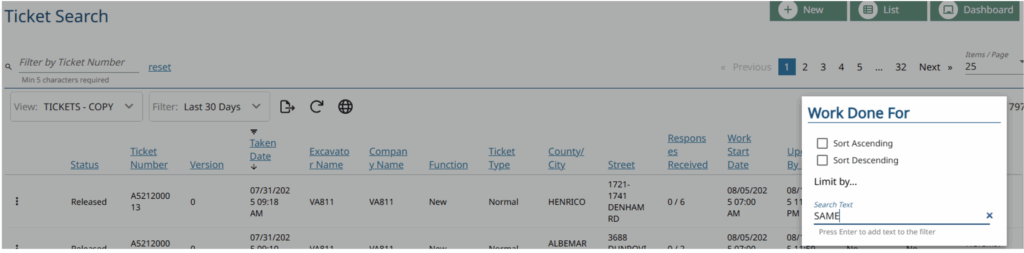
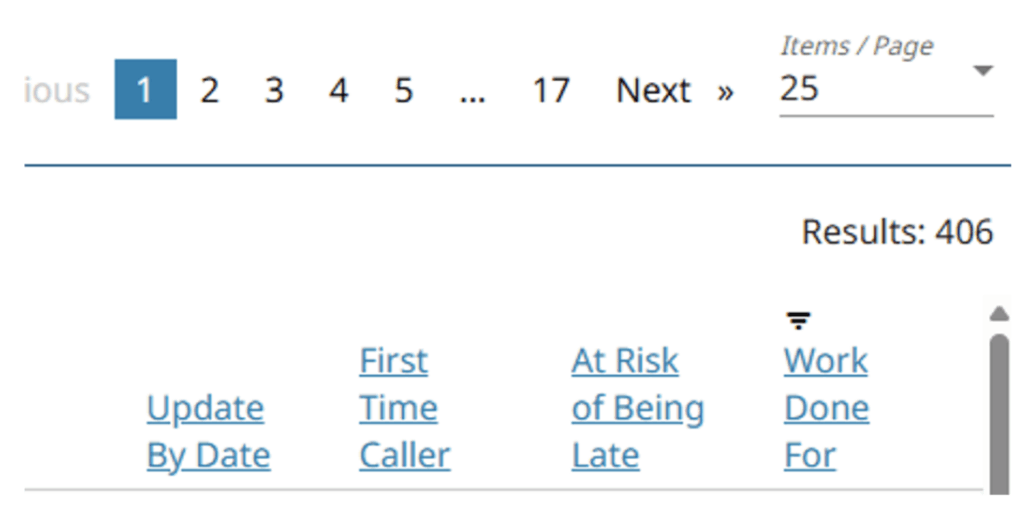
Filter the Work Done For field for the specific name or company
(here we use SAME as the criteria).
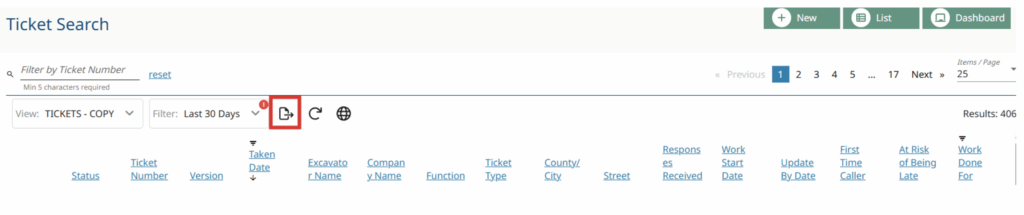
Select the Export to CSV option
Results are exported as a .csv file that is downloaded immediately.
It provides the following information. Please note that there is no map image available.

Option 2: Authorization Form

Virginia 811 provides a standardized authorization form that enables subcontractors to grant general contractors or utility partners access to view locate requests submitted under the subcontractor’s name.
Once completed and signed by both parties, the form will authorize the individual requesting access to be granted visibility into the subcontractor’s locate requests – similar to how they view locate requests submitted from their own account. This will create a more seamless process for managing joint projects and locating responsibilities.
Option 3: Shared Tracking Tool (Contractor-Led)

As an alternative to submitting a formal authorization, general contractors or utilities may choose to coordinate locate request tracking directly with subcontractors using a shared document.
Under this approach, the general contractor or utility creates a shared tool (such as a Google Sheet or Smartsheet) and requests that each subcontractor log the following locate request details:
- Company name
- Date the locate request was submitted
- Locate request number
- Phone number used on the locate request
This spreadsheet can be used to track and review locate request submissions collaboratively. It’s a simple way to stay organized and maintain visibility without requiring direct access through Virginia 811.
Need Help?
If you have any questions or require additional documentation to ensure compliance with privacy requirements, please contact our office at 811, 1-800-552-7001 or email memberservices@va811.com.
Use the link below to request specific locate information. Please provide the required details so our team can review your request and respond promptly.